
@Michael
Вы давно не обновлялись! Новогоднее чудо будет или нет?
You haven’t updated in a while! Will there be a New Year’s miracle or not?
I agreed with Vladimir, your app turns to be outdated. My problem with my app seems to be due to obsolete code in importing images/photos.
As far as I found, you use “READ_EXTERNAL_STORAGE / WRITE_EXTERNAL_STORAGE” in the Android manifest instead of “READ_MEDIA_IMAGES / READ_MEDIA_VIDEO”, so the app does not even appear in the autorizations of Android 13+…
As sad as it is, I noticed this slow decline a year ago. The lack of forum support alone was suspicious. That’s why I stopped working with Flipabit. Flipabit was a good and interesting approach to app development, even though the compiled apps became far too large due to the hefty QML runtime files. For example, I recreated an app from another builder (App Inventor) identically using Flipabit and got a compiled APK that was ten times larger—50 MB compared to 5 MB. I think the Flipabit team now consists of only one person, who has also thrown in the towel.
I think i’m going to try somewhere else. Do you have any recommandations to replace flipabit with an other app creator ?
I returned to Appinventor. Started with that 6 years ago.
App creation works with the Blockly concept. It’s a very well-maintained open-source platform with a vibrant community. Free and with regular updates. Optimal for Android, iOS apps can also be created. However, iOS support is still very much under development with the usual restrictions (testing via TestFlight, exporting with a valid Apple Developer account and ID…). But App Inventor’s strength lies in Android. The additional use of optional extensions makes the possibilities fantastic. And the Apps are much smaller in size. Check it out for yourself. Good luck!
I tried to take a look to AppInventor, but I found it much simpler that Flipabit. I have an app with a very graphic UI, and (as far as I found) AppInventor allows very few customize options.
Also, the very strength of Flipabit to me was the functions : I could insert very complex functions into the actions and it allowed me complex interactions in my app. Can AppInventor do similar things ? Maybe I didn’t dig deep enough…
Highlighted this in an earlier post. Truth be told, Flipabit is a gem of no-code software in my opinion. It’s uniquely flexible approach to software development involving drag-and-drop features being incorporated with minimal-to-advanced coding in Qt, HTML and JavaScript makes it a brilliant tool to use. I became more adept with workflow-automation because of Flipabit. As I query data in PostgreSQL, I like the fact that I can also apply data-analysis in software development by using SQL queries in Flipabit via SQLite implementation.
All that being said, I really want Flipabit to keep doing well but the apparent lack of support is a problem as it fails to address pertinent issues involving identified bugs, apk file-size (~50MB is quite large for an empty app) as well as obsolete software.
Currently working on an update for my offline-based app to improve UI and include online search via API integration; probably the last project I’ll be building with Flipabit and at the moment build takes hours as I attempt to test-run on device.
I once looked into App Inventor but found it quite simplistic as you mentioned. FlutterFlow is another feasible option if you can afford it. Kalipso seems like a solid no-code software but quite expensive, so I’m considering Power Apps at the moment.
@ Vladimir_PV Is there a way to link a dialog box to the AI of any models using an API so that I can query my local database? Could you explain this in a video and with an FLP file?
@yasser163
Проблемы перевода, я не все понял, что вы хотите
There are problems with the translation, I didn’t quite understand what you wanted to say.
1 Like
I mean creating an interface with a question box at the bottom and a larger answer box above it, both powered by artificial intelligence and linked to the AI model via an API key. Simultaneously, a local database is uploaded, enabling the AI to answer based on this local information. Please explain this in detail in a tutorial video included with .FLP file, which can be opened in editor
Is your question still relevant?
I’m having trouble using this forum; it’s been blocked, so I haven’t been able to return for a long time.
thank you,For example: I have an interface with a table containing specific data, and there is a button to upload the current local database to an AI model via API. There is another interface that includes a question box at the bottom and a larger answer box above it, similar to an AI chat interface linked to the same AI model with the same API key. When a question is asked, the answer is provided, but within the local information of the local table uploaded to the AI. Please explain this in detail in the tutorial video attached to the .FLP file, which can be opened in the editor??
Вы используете какой-то конкретный ИИ ?
Do you use any specific AI?
“sambanova.ai” model |GPT-OSS 120B| or “mistral ai”
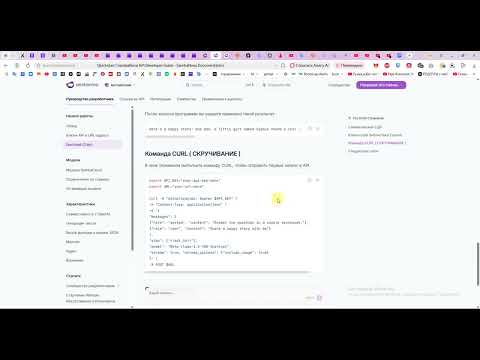
Я создал для вас проект, но он не полный.
дело в том, что мне не получилось оплатить ключ, и сервер не принимает мой запрос.
Поменяйте ключ на свой, если ответ придет, то вам нужно будет его распарсить и записать в БД.
Надеюсь этот проект вам поможет
I created a project for you, but it’s not complete.
The problem is, I couldn’t pay for the key, and the server isn’t accepting my request.
Replace the key with your own. If you receive a response, you’ll need to parse it and save it to the database.
I hope this project helps you.
chatAI.flp (38.7 KB)
1 Like
I will see to that. Thank you for your great efforts and I wish you the best of luck.